WordPress Booking Plugin for Appointments, Resources & Check-In
Manage services, staff, locations and bookable resources from one WordPress dashboard. Customers book in a guided wizard with live availability, pay with PayPal or at your location, and your team checks them in by scanning a QR code.
Guest booking with no account needed · Works with WordPress 6.0+ and PHP 7.4+ · Updates and support included with every active license
Built for Businesses That Run on Bookings
Whether you take appointments, rent out rooms and courts, or run classes, SE Booking Pro handles services, staff, locations and bookable resources in one online booking system for WordPress.
Follow the recommended setup order from the documentation. Start with one location, one staff member and one service, test a booking, then add more services and advanced settings.
1. Add Locations, Staff and Services
Create your locations, add staff members and set up the services they provide.
2. Set Hours, Closures and Pricing
Define weekly business hours, block closures and add special pricing rules where needed.
3. Add the Booking Page
Place the booking form shortcode on any WordPress page to publish the booking wizard.
4. Take Bookings and Check In
Customers book online, and staff use the scanner page to check them in on arrival.
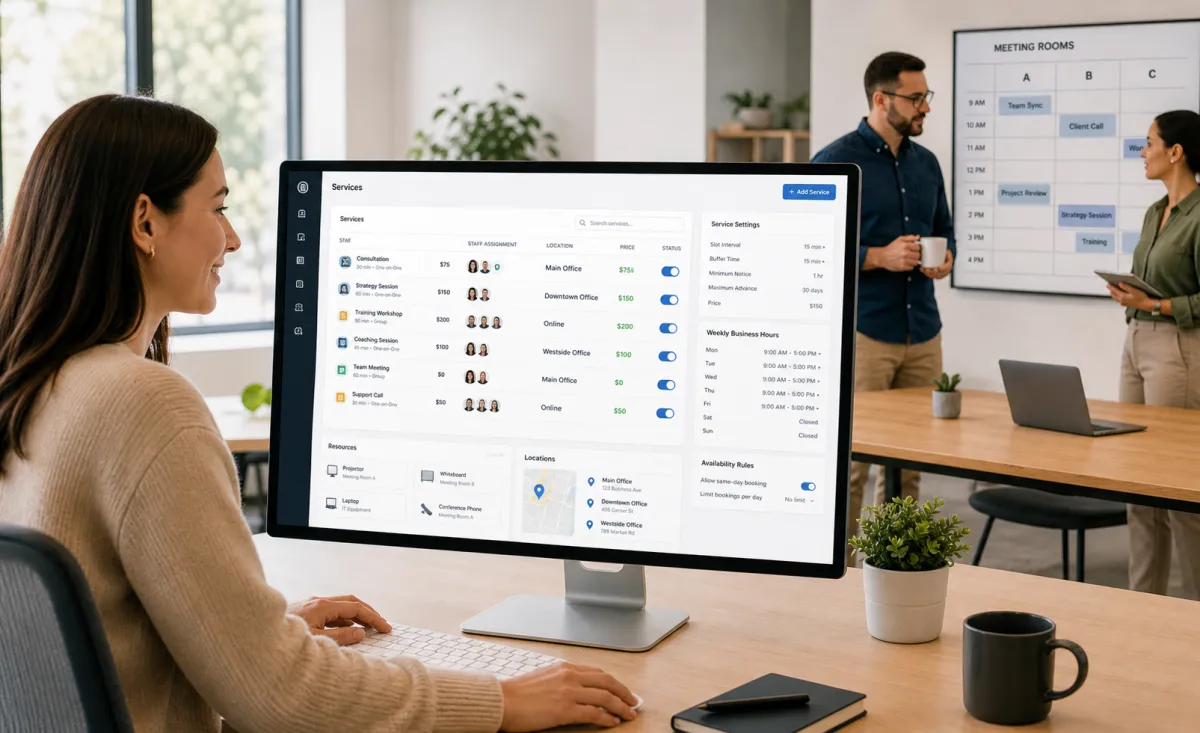
Set up unlimited services with slot intervals, resources, pricing, weekly business hours, staff assignment, locations, closures and availability rules, so bookings are only accepted when you can deliver them.
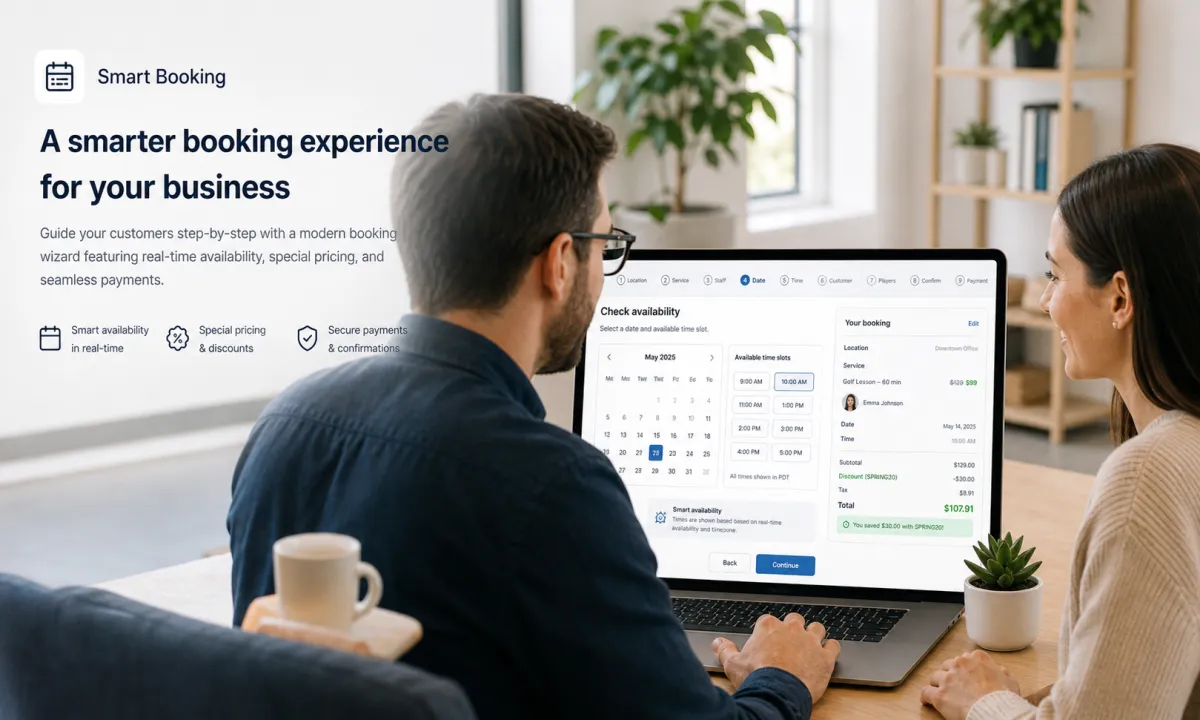
The booking wizard guides users through location, service, staff, date, time slot, guest details, customer information, confirmation, and payment. Availability, pricing, and special pricing are calculated automatically.
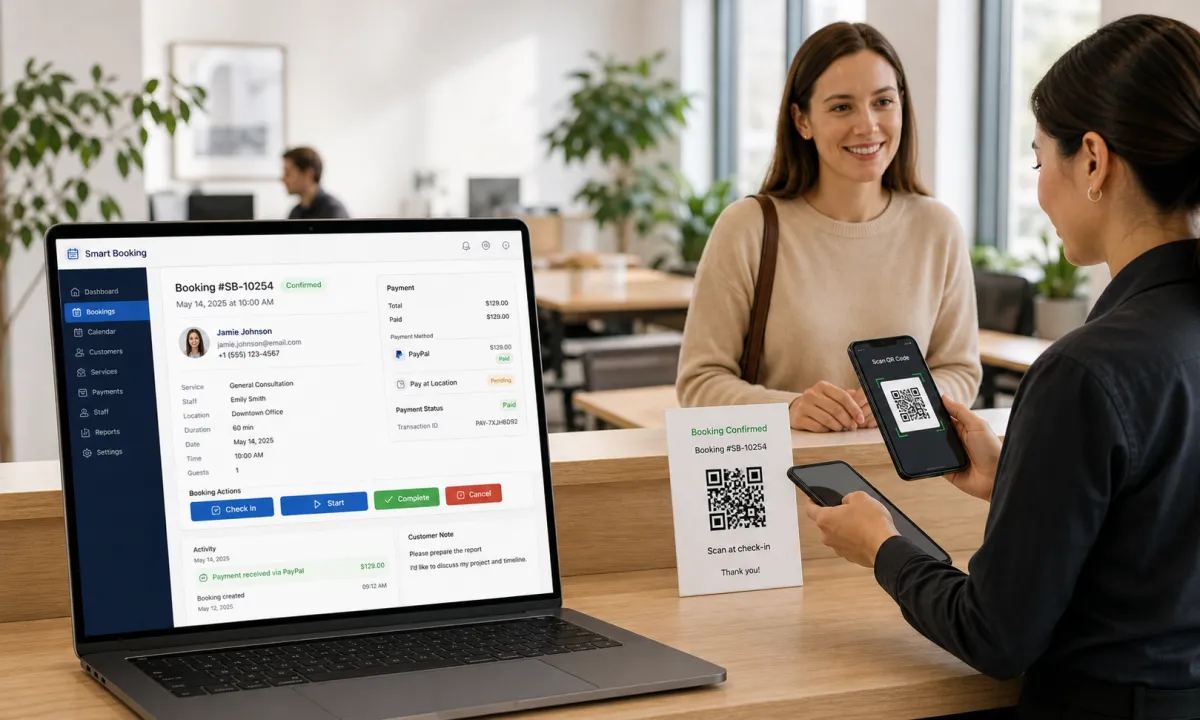
Accept PayPal payments or pay-at-location bookings, track payment status, and let staff scan booking QR codes for check-in, start, complete or cancel actions using the front-end scanner workflow.
See every booking in day, week and month calendar views, follow active bookings on the live staff board, and review booking, revenue and service utilisation reports from the WordPress admin.
Add only the features you need, or get every standard add-on with an All-in-One license. Individual add-ons require an active SE Booking Pro core license.
Coupon Add-on
Create percentage or fixed-amount discount coupons, control when they are available and apply them to specific services.
Explore Sophia's Makeup Studio, a beauty studio setup with multiple services, dedicated staff, resources and real-time availability, and walk through the complete online booking journey before you buy.
See how SE Booking Pro helps businesses manage bookings with confidence.
Powerful And Flexible Booking System
SE Booking Pro gives businesses a complete booking workflow inside WordPress. The service setup, live availability, PayPal/payment tracking, QR scanner, staff actions, and reporting tools make it suitable for real daily booking operations.
Mario Speedwogan
May 02, 2026
SE Booking Pro has made managing bookings at Rodney’s Club much easier. Our customers can conveniently book pool tables and darts, making the booking process simple and straightforward. The booking functionality helps us keep everything organised and provides a smoother experience for our customers.
Lee Hemington
Director at Benosey ltd
Frequently Asked Questions
What is SE Booking Pro?
SE Booking Pro is a WordPress booking plugin that helps businesses manage services, staff, locations, customers, availability, bookings, payments, QR check-ins, reports, and booking notifications.
Does SE Booking Pro support online and offline payments?
Yes. SE Booking Pro supports PayPal checkout and pay-at-location bookings. Admins can track payment method and payment status such as pending, paid, or refunded.
Can I use it for multiple guests or group bookings?
Yes. SE Booking Pro supports services with multiple guests, allowing guest details to be collected during the booking process. Guest-based pricing can also be configured for supported service pricing modes.
Can staff scan and manage bookings?
Yes. Staff can scan or look up bookings, check in customers, complete or cancel bookings, and update payment status for pay-at-location bookings by marking payments as paid or failed.
Does it include admin reports and booking analytics?
Yes. SE Booking Pro includes reports, booking summaries, revenue insights, service utilization data, booking status charts, and CSV export options.
What are the requirements for SE Booking Pro?
SE Booking Pro needs WordPress 6.0 or higher, PHP 7.4 or higher, a MySQL or MariaDB database and the WordPress REST API enabled. PHP 8.0 or higher, HTTPS, an SMTP plugin for reliable email and a PayPal business account (if you use PayPal) are recommended. See the requirements guide.
Do customers need an account to book?
No. Guest booking lets customers book without creating a WordPress account. They enter their name, email and phone, and the confirmation email is sent to that address. Learn about guest booking.
Can customers reschedule a booking?
Yes. Confirmation emails include a secure reschedule link. After the link is verified, the customer can choose a new date and an available time slot, subject to your rescheduling rules. How rescheduling works.
Do add-ons require the core plugin?
Yes. Individual add-ons require a compatible SE Booking Pro core plugin installation and license. The All-in-One plan includes the core plugin and all currently available standard add-ons. Compare plans.
Can I use one license on more than one website?
A Single Site license covers one production website. A Five Sites license covers up to five production websites, including client websites, subject to the published license terms.
What happens when my license expires?
Licensed updates and support stop until you renew, and additional activations may be restricted. Your existing installation should continue working where technically feasible, subject to compatibility and the published license terms.
Start Taking Bookings in WordPress
Choose a plan for one or five websites, or try the live demo first.